For teams with a codebase
Your codebase, unlocked. No more black box.
Reverse reads your codebase so everybody can act on it directly, no technical background or engineering required.
Works with any JavaScript, TypeScript, Python, or Ruby codebase that lives in a GitHub repo.
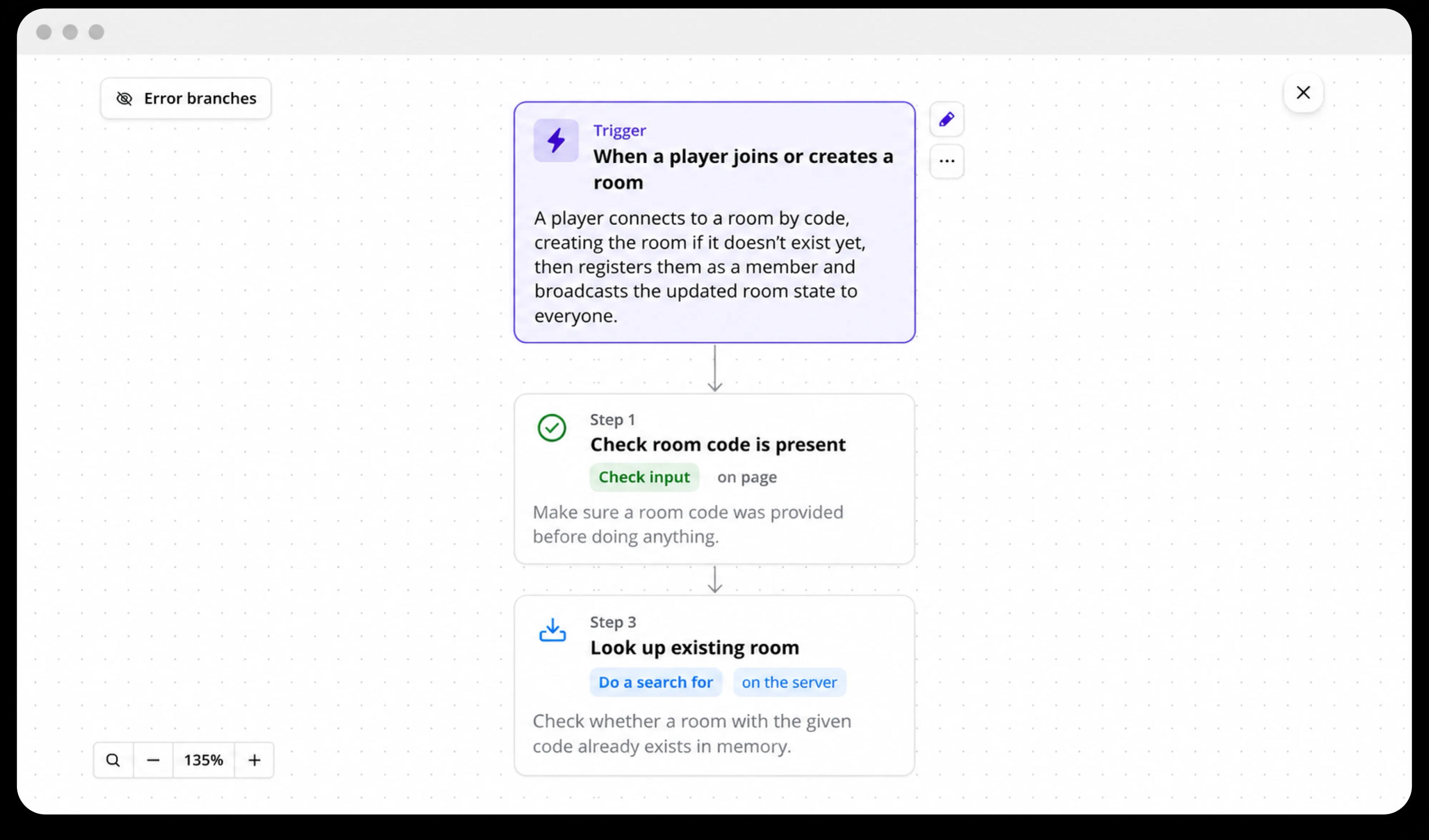
How it works
One shared picture, straight from the code.
Plug in the repo, get the picture
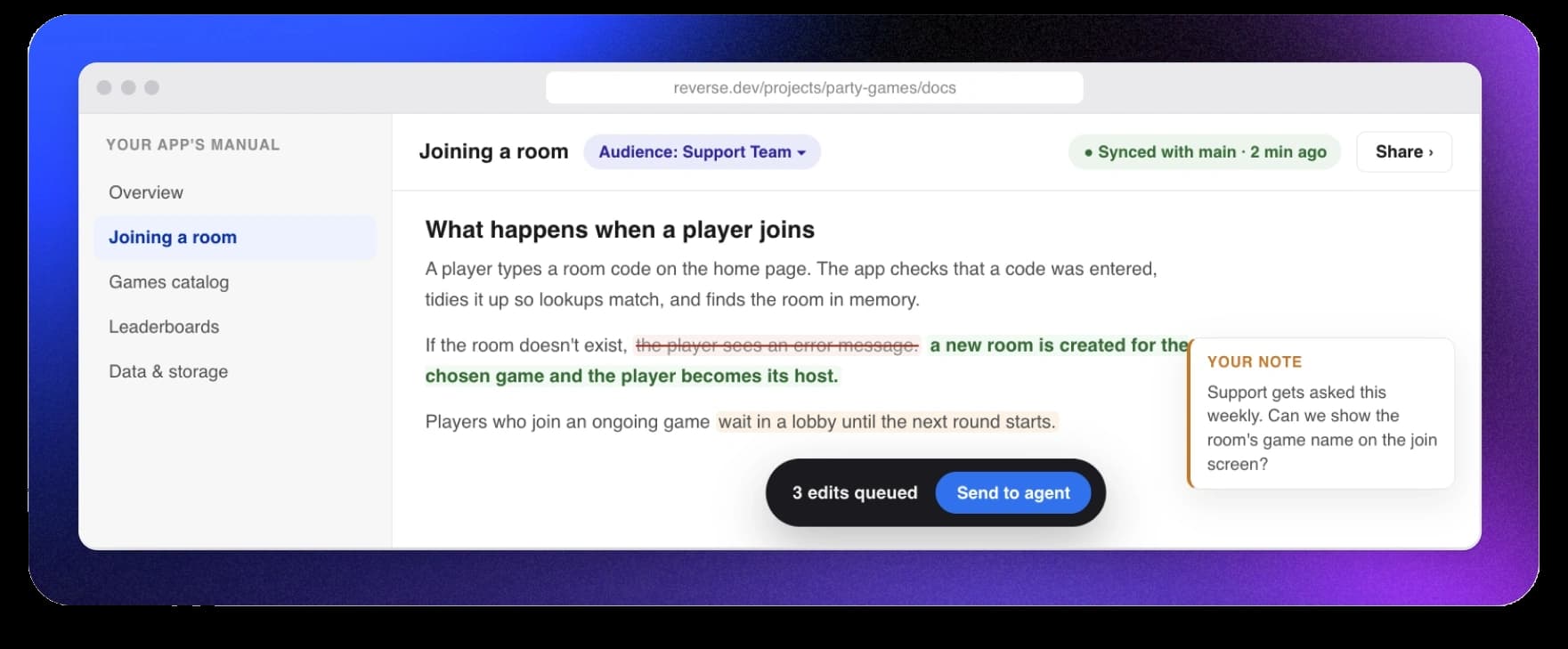
Connect GitHub and Reverse maps your product in plain language: every page, feature, and workflow, with documentation it writes itself. The picture stays current as your team ships.
Everyone answers their own questions
“Where do trial reminders get sent?” “What exactly happens at checkout?” Ask in plain words and get answers grounded in the actual code — not somebody’s best guess.
Honest about being current
Docs regenerate when the code changes, and if the picture falls behind, Reverse says so — “3 commits behind”, never silently wrong. Share a docs link once; it always shows the latest.
who it’s for
Answers for every role — not just the ones who code.
Product managers
Ask questions about the code directly, and collaborate on a canvas that uses the codebase as source of truth to shape and validate ideas. Ship bug fixes or product improvements yourself, with docs that write and update themselves alongside the code.
Support & sales
Get answers from the current build, not from last quarter’s wiki or by asking your engineers. Your source of truth is now plain-language AI-powered docs plus a readable release history of what actually shipped, not cryptic commit messages.
Marketing
Take control of your landing pages and SEO updates without looping in an engineer. Describe your changes, check the preview, and ship safely. Ask the code directly about a feature so release notes and campaign copy are always accurate and timely.
Data & analytics
Ship your own event tracking through Reverse instead of writing up requirements for eng. Audit every event straight from the code — name, properties, whether it fires on click or on the server — and trace how any number is actually produced.
Legal & security
Answer security questionnaires and compliance reviews without pulling engineering in every time. Get a full, current list of dependencies and outside services, review how data moves through the app, and flag risks before they become findings.
Design
Preview and ship a change against the real app, with its actual components, constraints, and dependencies, instead of a static mockup. Use inspect mode on preview to narrow changes down to the exact DOM element, iterating with precision and incorporating live feedback from your team.
Founders & executives
Ground your board updates and investor materials in what’s actually shipped, not a summary that’s a few steps removed from the code. Use canvas to pull the relevant pieces from workflows and docs into one space so you get the highest-level view.
Engineering leads
Onboard new hires against a live map of the codebase instead of stale documentation, and plan technical approaches collaboratively with your team. Reverse fits into your existing workflow: PRs land in GitHub, and MCP connects to the tools you already use, so nothing about how your team ships has to change.
Self-serve changes,
without the fear.
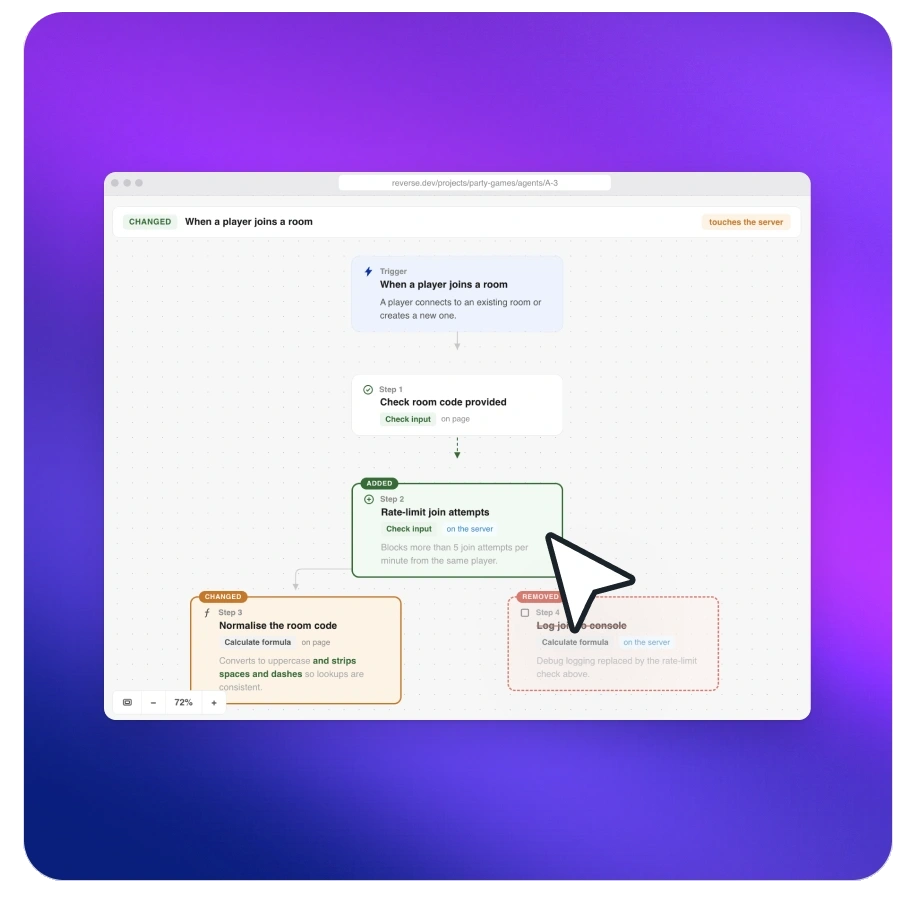
Anyone on the team can ask for a change in plain language. An AI agent does the work and shows its work: what will change, in your words, with a preview you can click through before anything is real. And it doesn’t route around your engineers — it takes the interruptions off their plate.
Its own branch
Every change is built on a separate branch, step by step. Deploy to your live app when you’re ready.
Shows its work
A plain-language before and after, plus a live preview. You see exactly what you’re approving.
Ships your way
Editors open pull requests straight from Reverse for review, or merge them in-app too if that setting is toggled on for your project.
One MCP server. The same truth in every AI.
Reverse serves your codebase as an MCP server. Connect it once, and the AI tools your team already lives in answer from your code and docs — not from guesses.
Chat from
Every public docs link you share also comes with its own llms.txt, so AI agents can read your documentation too.
We’re piloting Reverse with a small group of teams.
Spots are limited and you can expect some rough edges — but your team’s feedback will shape what we build next, with a direct line to the founders.
Your whole team is about to be
on the same page.
Connect a GitHub repo and give your whole team full visibility into how your app actually works.
Frequently asked questions
No. Invite them by email from your workspace. Viewers can read the whole picture — the map, the docs, release history — and ask anything in chat, without a GitHub account. The answers and docs are built from your real code, so a Viewer can see code-level detail but not make changes. Unless the Owner has turned agent runs off, Owners and Editors can make changes to the codebase even without GitHub permissions once the pull request check is removed.
Reverse roles are set by your workspace Owner, not by GitHub. Today a teammate still needs GitHub write access at the point a pull request is opened from an agent run. We plan to remove that check, and we’ll update our Terms and tell you before we do.
Reverse re-reads the code as you ship, and the docs regenerate with it. When the picture is behind your latest commits, Reverse tells you exactly how far — “3 commits behind” — instead of quietly showing something stale.
Workspace Owners set each teammate’s role and decide whether Owners and Editors can run the agent and merge changes. A Viewer can only read and ask questions, never change the code. An Owner or Editor can run the agent unless the Owner has turned agent runs off, and can merge unless the Owner has turned off merging from Reverse — both are on by default. Every change is made on its own branch, with a plain-language summary and a preview. Workspace Owners should manage permissions carefully.
We don’t republish your code anywhere. Teammates see the picture — the map, docs, and answers — based on the role you give them.
To answer a question or make a change, Reverse sends the files it needs to our AI providers, which process them under our accounts and don’t use your code for training, and runs the agent in an isolated sandbox. If you bring your own AI key, that provider’s terms govern what it does with your code. If an Owner or an Editor turns on a public share link for a project, from the Documentation tab, the documentation we generate for that project — including file paths, function and entity names, and short excerpts of code — is open to anyone with the link, including a plain-text copy of the same page at the same address with /llms.txt on the end, which search crawlers can index, until you revoke it. Full details are in our Privacy Policy.
JavaScript, TypeScript, Python, and Ruby today. If your repo mixes in something we can’t map yet, Reverse parses what it can and tells you honestly what it skipped.
Reverse runs on shared workspace credits, not per-seat pricing — you pay for what the team actually uses. Any teammate can spend those credits, including just by chatting. The card saved for the workspace is the Owner’s, so automatic top-ups are charged to the Owner. For current pilot pricing, check your workspace billing settings or reach out to support@reverse.dev.